Study apps built around AI have moved well past flashcard generators. The current crop reads lecture slides, transcribes classes in real time, and in some cases builds a running map of what a student has and hasn’t understood yet. Picking the right one comes down to a fairly simple question: does the tool work from a student’s own material, or does it just answer questions in a vacuum?
That distinction is the clearest way to sort the field. Some of the names below — Quizlet, Anki-style spaced repetition, general research assistants — have been part of student life for years and have simply had AI layered on top. Others, like AskSia and StudyFetch, were built from the ground up around the idea of uploading a semester’s worth of material and getting a system that actually learns it.
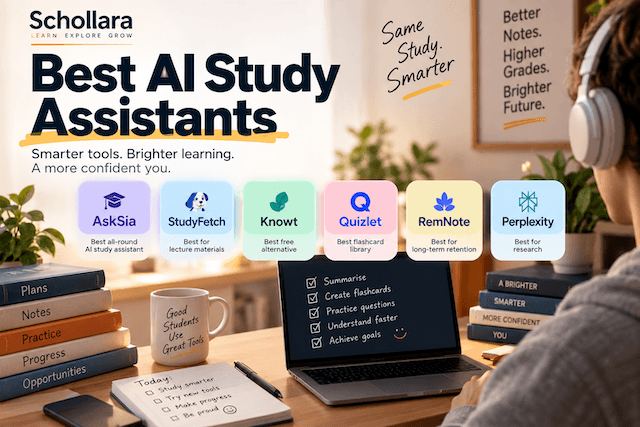
Six tools stand out enough to cover in depth: AskSia, StudyFetch, Knowt, Quizlet, RemNote and Perplexity. Each is reviewed on its own further down, with full detail on features and pricing. This page works as the entry point — a shorter comparison of where each one fits, before the individual breakdowns.
| Tool | Best for | Starting price |
|---|---|---|
| AskSia | Whole-course workflow, personalized knowledge graph | Free, from $14.99/mo |
| StudyFetch | Voice tutoring, lecture-to-study-set conversion | Free, from $19.99/mo |
| Knowt | Free AI flashcards, Quizlet import | Free, from $12.49/mo |
| Quizlet | Largest flashcard library, gamified recall | Free, from $7.99/mo |
| RemNote | Notes and spaced repetition in one system | Free, from $10/mo |
| Perplexity | Cited research, not course-specific | Free, from $10–20/mo |
AskSia — the dedicated AI study assistant
AskSia is built specifically around a student’s own coursework rather than general knowledge. Uploaded lecture slides, textbooks and notes get processed into a private knowledge graph that grows as more material goes in — a step beyond the summarize-and-forget model most competitors use. Ask it a question and the answer draws from what was actually taught in that class, not a generic explanation pulled from the open web.
The feature set covers most of a semester’s workflow in one place:
- Step-by-step problem solver for math and science, with visual and analogy-based explanations rather than a bare final answer
- Live lecture transcription, converting spoken classes into searchable text and notes as they happen
- Document processing across PDF, DOCX and PPT files, turned into summaries and structured notes
- Auto-generated flashcards and quizzes pulled from a student’s own uploaded material
- Weak-spot tracking — the system flags recurring mistakes and likely exam blind spots based on where a student has struggled before
- Personalization controls for academic level, explanation tone (rigorous vs. simple) and subject focus
It’s in active use across several hundred universities — reported figures put it at over 200,000 students and growing. Pricing starts with a free tier (300 minutes of transcription and 100 pages of document processing a month), with paid plans at $14.99/month (Plus), $19.99/month (Super) for priority processing, and $29.99/month (A+) for unlimited document processing and custom workflows. Annual billing brings the entry price down further.
For students juggling multiple subjects who want one tool that learns their material rather than five disconnected apps, AskSia is the strongest fit in this category.
Read my Detailed AskSia Review
StudyFetch — AI tutor with a voice mode
StudyFetch takes a similar starting point to AskSia — upload course material, get study tools back — but builds its identity around a central AI tutor called Spark.E, designed to answer questions based specifically on what a student uploads rather than general training data.
Where StudyFetch distinguishes itself is the tutoring format. Alongside the usual text-based Q&A, it offers a voice-to-voice mode (branded Tutor Me, currently in beta) that lets a student talk through a problem out loud rather than typing. The Live Lecture Assistant builds notes from a class in real time on premium plans, and the Spark.E Visuals feature interprets diagrams and graphs — though accuracy drops on more complex material; anatomy diagrams and circuit schematics get misread more often than simple charts, so cross-checking those results is worth the extra minute.
Other features:
- Notes AI — condenses long PDFs and slide decks into structured summaries
- Flashcards and quizzes generated automatically from uploaded material, including PDFs, PowerPoints and YouTube videos
- Study Scheduler AI — builds a study timeline based on exam dates and how much material there is to cover
- Study groups for collaborating with classmates inside the platform
StudyFetch is backed by Owl Ventures and the College Board, having raised $11.5 million in Series A funding, and reports millions of active students. Pricing runs a free basic tier plus three paid levels, with the standard premium plan at $19.99/month (or $96/year), and add-on options like one-off Spark.E tutoring calls priced separately.
It’s a strong pick for students who want a conversational tutor over a pure document-summarizer — the voice mode in particular sets it apart from most of the field.
Knowt — free AI flashcards, no real catch
Knowt markets itself directly as the free Quizlet alternative, and on pricing at least, that holds up. The free tier includes unlimited flashcard creation, AI-generated quiz questions, and study tracking — a genuinely generous baseline compared to most tools on this list, which gate AI features behind a paywall from the start.
Core features:
- AI flashcard generation from typed notes, uploaded PDFs, or pasted text
- Quizlet set import — paste a Quizlet URL and pull an existing deck straight into Knowt
- Practice test generator with auto-graded assessments
- Kai, an AI chat assistant for asking questions about uploaded notes
- Study game modes — beyond flip cards, Knowt includes a Jeopardy-style game and a racing mode, aimed at making repetition less tedious
- Spaced repetition scheduling for flashcard review
The paid tiers add capacity rather than gate core functionality: Premium (around $5/month) adds advanced learning stats, while Ultra ($12.49/month billed annually, or $24.99/month billed monthly) unlocks unlimited AI chat and summaries. Several independent pricing trackers note that the jump to Ultra is steep relative to what’s unlocked, so students who are happy with the free tier’s generous limits may never need to upgrade at all.
Knowt is the pick for students who want AI-assisted flashcards without committing to a subscription, or who already have a Quizlet library they don’t want to rebuild from scratch.
Quizlet — the flashcard default, now with an AI tutor
Quizlet’s advantage has never really been about being the smartest tool in the category — it’s scale. With a community library built up over more than a decade and reportedly over 300 million users, there’s a strong chance a flashcard set already exists for whatever course a student is taking, AI-generated or otherwise.
The AI layer sits on top of that existing foundation:
- Q-Chat — a conversational AI tutor that works through problems using a Socratic approach (asking guiding questions) rather than just supplying answers, which tends to help retention more than a straight answer would
- Magic Notes — converts uploaded notes or slides into flashcards, outlines and practice tests automatically
- Learn and Test modes — spaced repetition and practice-test formats layered over any flashcard set
- Expert-written solutions for textbook problem sets, alongside the AI-generated material
Q-Chat and Magic Notes are both restricted to Quizlet Plus, priced at $7.99/month or roughly $35.99/year (works out closer to $3/month on the annual plan) — the free tier keeps basic flashcard functionality but drops the AI features and document upload entirely. Many institutions provide subsidized access through library or academic technology programs, worth checking before paying out of pocket.
Worth flagging: Q-Chat performs well on definition-heavy, recall-based subjects, but has clear limits on complex STEM material — it’s not built for multi-step engineering derivations or proof-based math the way a dedicated problem solver would be. Students in those subjects are generally better served by a tool built around step-by-step solving.
Quizlet is the right call for students who want the largest possible library of existing study sets and a tutor bolted onto a system they likely already know how to use.
RemNote — notes and spaced repetition in one system
RemNote takes a different approach from the rest of this list: instead of starting from AI-generated summaries, it’s built as a note-taking system first, with flashcard creation and spaced repetition woven directly into how notes are written.
The core idea is that any line of a note can be turned into a flashcard on the spot, which keeps studying tied to the actual note-taking process rather than treating them as separate steps. Key features:
- Rem-based note structure — an outlining editor where any piece of text can become a spaced-repetition card
- AI-generated flashcards from existing notes, with the ability to edit what the AI produces before it enters a review queue
- Image occlusion — hiding parts of a diagram or image to test recall, useful for anatomy, geography or any visually dense subject
- PDF and slide annotation — highlighting and marking up source material directly inside the platform
- Detailed statistics, including cards-added-over-time tracking, to monitor study consistency
RemNote is popular in particular with students in retention-heavy fields — medicine and law come up repeatedly — where spaced repetition over months matters more than cramming before a single test. The trade-off is a steeper learning curve than something like Knowt or Quizlet; getting real value out of RemNote means learning to structure notes in a way the spaced-repetition system can use, which takes longer to pick up than uploading a PDF and hitting generate.
Pricing: free forever for the core note-taking and flashcard system, Pro at $10/month for expanded features, and Pro with AI at $20/month for AI-generated cards and explanations. A 25% student discount is available.
RemNote suits students who want one system for notes and long-term retention rather than a separate flashcard app bolted on afterward — and who are willing to spend the time learning how it’s structured.
Perplexity — research tool, not a study-specific one
Perplexity doesn’t belong in the same category as the tools above, and it’s worth being direct about that rather than stretching the comparison. It has no flashcards, no quiz generator, no lecture transcription, and it doesn’t work from a student’s own course material the way AskSia or StudyFetch do. What it does is answer open questions with cited, sourced responses pulled from a live web search — closer to “search engine with footnotes” than “study assistant.”
That distinction is exactly why it’s useful for a different part of the workflow:
- Cited answers — every response links back to the source it drew from, which matters for anything that needs to survive a professor asking “where did you get that?”
- Academic mode — limits results to peer-reviewed papers, useful for literature reviews and thesis research
- Live web access — unlike a model working from a fixed training cutoff, Perplexity can answer questions about events from the current week, relevant for research on fast-moving topics
- Model choice on paid tiers — access to multiple underlying AI models rather than being locked to one
Pricing: a free tier with roughly five in-depth “Pro Search” queries a day, and Perplexity Pro at $20/month — though an Education plan brings that down to around $10/month for verified students, and some student sign-ups through a .edu email have qualified for a free year of Pro directly. That’s a meaningfully better deal than most of the study-specific tools above.
One caveat worth passing on: citation accuracy isn’t perfect. Perplexity has been known to attach a source that doesn’t fully support the claim next to it — sometimes called citation hallucination — so anything going into a graded assignment is worth clicking through and verifying against the actual source rather than trusting the citation at face value.
Perplexity is worth having alongside a dedicated study assistant rather than instead of one — it covers the research and fact-checking side that tools like AskSia aren’t built for.
Where each one actually fits
Quizlet wins on library size, RemNote on long-term retention, Perplexity on sourced research. StudyFetch’s voice tutor is the standout feature if talking through a problem beats typing it. Knowt is the best free option for AI flashcards specifically.
AskSia is the one built to cover the full arc of a course rather than one piece of it — from the first lecture upload through to exam week, with the system building a picture of a student’s material and their weak spots along the way rather than treating each question as a one-off.
[Try AskSia →]